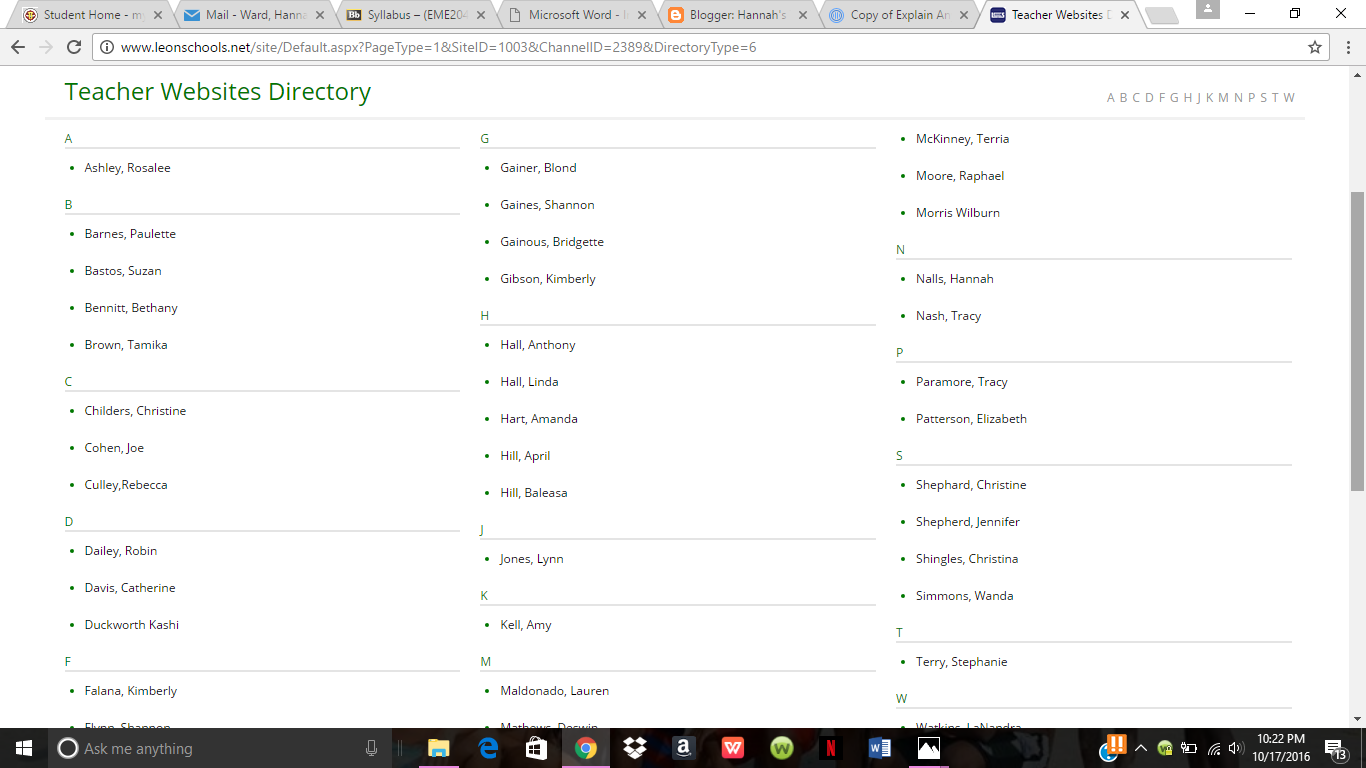
On the Riley Elementary school teacher website, there is six different options in the sidebar to choose from. These options include Welcome, Meet the Teacher, Announcements, Assignments, Important Documents and Class Calendar. The page I visited is for Mr. Anthony Hall, a first grade teacher at Riley Elementary located in Tallahassee, Florida. All of the information was available publicly, but there was also no information on some of the tabs. I think that these websites can be helpful to get to know teachers, but I also think that they can be kind of tedious to upkeep.
I can definitely see myself using Prezi for presentations in my classrooms. I like Prezi because it allows for more movement and I believe it keeps students more involved and engaged. I also think that I will use Edmoto and apps like Blackboard that make it easy for me to input and share my students grades with them.
· Last week, we visited the Technology Sandbox. Write a
paragraph about how one or more technology that you
experienced could be used in the classroom. Be specific and
thorough.
Visiting the Technology Sandbox was so cool! I really like the SmartBoards and I think that this kind of interactive technology would be great in the classroom, specifically for student group projects or wanting to write on a website with information on it. I also really liked the virtual reality could be used to help learn about different environments or habitats. These technologies can also be used to allow students to see different perspectives.
Monday, October 17, 2016
Monday, October 10, 2016
#5: Web 2.0
Personally, I believe that Web 2.0 tools are extremely helpful to the classroom. Sites like Twitter and Youtube can enhance a students learning experience by giving them access to learn with something that they are familiar with, the internet. These tools are also very interactive and help students share their thoughts and ideas withHowever, I think that these tools can sometimes be harmful to students attention. It is very easy for a student to get lost in the black hole that is Youtube or the never-ending conversations on Twitter.
Quizlet is an innovative way to help students study for exams. This site allows students to create flashcards that can be accessed through an app that they can get on their phones, so they don't have to carry around a huge stack of note cards to study. I used this app in high school to help me study and find it extremely helpful. I believe in using this app to create study guides for students. I will most likely be using this app when I teach. https://quizlet.com/
Truthfully, I think that gamification is going to be extremely important to education very soon. In class we played a game that had us spell words with our bodies and that was a great way to spike our energy. I think that students are using games much more often than before outside of class and adding them to class will make it easier for them to learn, making them more successful. It also keeps students engaged and entertained. I think that this technology can be used to create games that allow students to level up each time the answer a series of questions correctly, which will help them memorize information in the long run.
Monday, October 3, 2016
#4: The Digital Divide
During the first half of this course, using Twitter has been beneficial. I think that it's interesting to see teachers interact in this sense. I've mostly been interacting with my peers and the EME twitter page. Using my peers as a resource and a reminder to tweet weekly has been helpful to making sure I complete my assignments. In the future, I think Twitter will be a great way for me to connect with other professionals and bounce ideas off of them, as well as share information that can be useful in my future classrooms.
The digital divide, which discusses a persons access to technology, can seriously students. In the podcast, two students were compared. One student from a middle class family, whose father worked in IT and another student, who came from a working class family without a computer in their home. It was explained that when these students go into college or the job field, they would have different levels of knowledge, leading to the student without a computer to be at a disadvantage. A student who is actively using a computer and computer software, will be able to navigate Productivity software, such as Microsoft, making it easier from them to complete many assignments at the college level. Very often, PowerPoint or presentation software, as well as graphics are used for presentations. Being able to adequately navigate these programs is essential to making a visually pleasing assignments. Tutorials, Educational Games and Simulations help students practice and test themselves to make sure they understand information clearly. Without these, they may not be able to focus on a traditional study method, which can hinder their learning.
There are many important points that should be considered when evaluating websites. Using the acronym ABCDT, is helpful to help remember these points. A stands for author, which focuses on the credibility of the person who created the website. B stands for bias. This point emphasizes the need to use websites and sources that do not have biased opinions. C is for content, which focuses on whether or not the information in the article is accurate, including grammar and spelling. D stands for design, focusing on how appealing the site and whether or not it is visually appropriate for students. T stands for Technology. This point emphasizes how accessible the site is and whether or not it will be easy for students to use. Other than these, I don't really use anything else to evaluate websites. Sometimes I check whether a website is a .com, .org or .edu to weigh its credibility. These points are important because they help make sure that information being used by students is appropriate and accurate.
Monday, September 26, 2016
#3: ELA Technology Standards and Technology Applications
The ELA standard that I personally feel most comfortable with is "Producing" Tech Standard W/WHST.2: Writing to explain/ inform. With my current technological knowledge, I am able to write informative texts to display information. I know that I can make presentations, such as powerpoints, prezis, and word documents that portray information in a unique light. Adding graphics, headers, illustrations and multimedia are all things that I can easily do. I also have the ability to use and reference multiple sources. Currently, I cannot use Digital Media as effectively. I do not know how to use computer audio to make audio tapes of poems and stories.
In my classroom, I would use the site Turnitin.com to hold my students accountable. I am very serious about using these resources to make sure that my students are being held accountable. As a student, I hated it. But as I became a college student, I began to understand the importance.
If I am truly honest, I did not enjoy the Newsletter Design assignment. It was extremely tedious and time consuming. Of course, I have a better understanding of borders, headers and texts boxes. Next time, I could add more creativity and pizzazz, but for now I like it the way it is. I like the fact that I now understand how to make a newsletter for future classrooms. I will be able to use all of this information, especially the columns tool, when I am creating my classroom syllabus in the future, but other than that, I did not enjoy this assignment.
Wednesday, September 14, 2016
#2: The Importance of Originality
As a student, I have used Microsoft Word in a variety of ways. Mainly, I have used this program to write papers. In a few classes, I was able to use Microsoft Word to create pamphlets for projects. I have seen my professors and teachers use Microsoft to create rubrics for assignments. I've also seen my teacher use Microsoft to display class brainstorming ideas.
Personally, I have never experienced a copyright issue. However, I once had someone use my paper for one of their projects. I had a friend who asked me to help them write a paper and suggested I send them my paper as a reference. They ended up turning my paper in. Fortunately for me, my teacher allowed me to redo the assignment, but my friend was not so lucky. As a teacher in the future, I will value making my own materials. I think authenticity in the classroom is very important, from both teachers and students. As an English teacher, I plan on reading and discussing the books with my students, which will lead to assignments being based on individual discussion. I will have my students turn papers on Turnitin.com to make sure they do not plagiarize.
As a Twitter user, I thought that I had already known everything there is to know about the website. However, I didn't know that it was used a place for teachers to connect and share information. As an educator, I think that I will use various social medias to remind my students of upcoming assignments and keep them informed, but I will also use PLNs to stay connected with other educators and constantly improve my teaching style.
Friday, September 9, 2016
#1- ISTE Standards
It is extremely important for students and teacher to understand how to use computers and technology. The world is very technological now and students as well as teachers must be able to keep up with technological standards. I agree with the issues raised in this chapter. It is extremely important for students to use computers in an educational setting.
I think that the ISTE standards help create a move regimented environment. While I agree with the implementation, I think that this can sometimes be overbearing to students and teachers. I really like the ISTE standard that focuses on educators promoting creative outlets for their students. School can be tiring and having a way to release that stress is important. The ISTE standard that I believe is out my current skill set is Developing digital assignments. I'm very savvy with Microsoft programs, but not online websites.
I do agree with the label "digital native" for today's youth. They were born and grew up in a digital age with access to technology at a very young age. I do not believe that I was a digital native because I had to adjust to learning with huge computers. I think that the many teachers struggle with technology simply because they didn't grow up learning with it.
Subscribe to:
Posts (Atom)


